
Gallery
The challenge
In a rental fleet, a returned car is not an available car. Between the two it may need a trip to the garage or the after-sales workshop, a clean, or simply a wait until someone checks it. Weekly rental fleets go through that loop every week, for many cars at once. When those steps live on a whiteboard, in a group chat and in someone's memory, the same problems keep coming back. The counter promises a car that is still in the wash. A car sits at the garage for days because nobody recorded that it went there. The "available" number on a spreadsheet and the cars actually ready on the lot are two different truths, and the only way to reconcile them is to walk the lot. FleetFlow needed vehicle states to be something the system records as they happen, not something staff reconstruct later.
Architecture
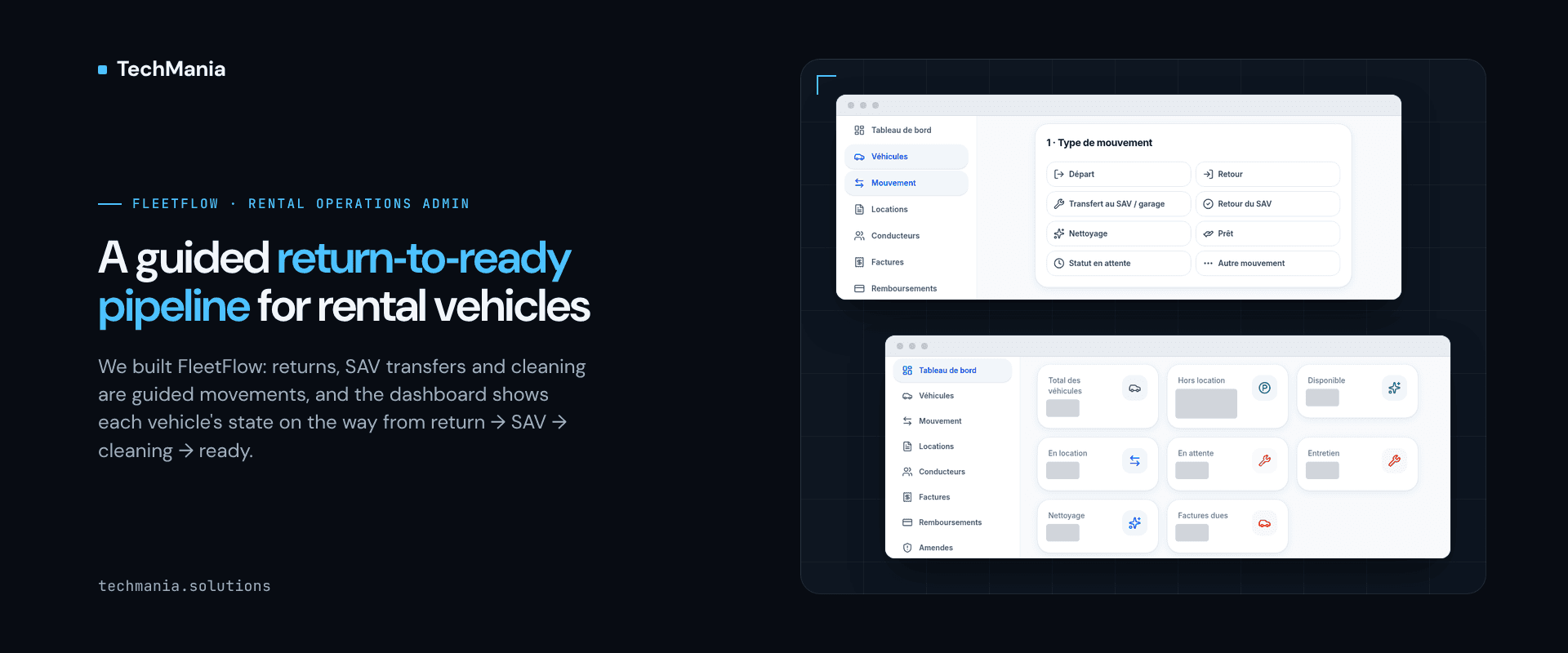
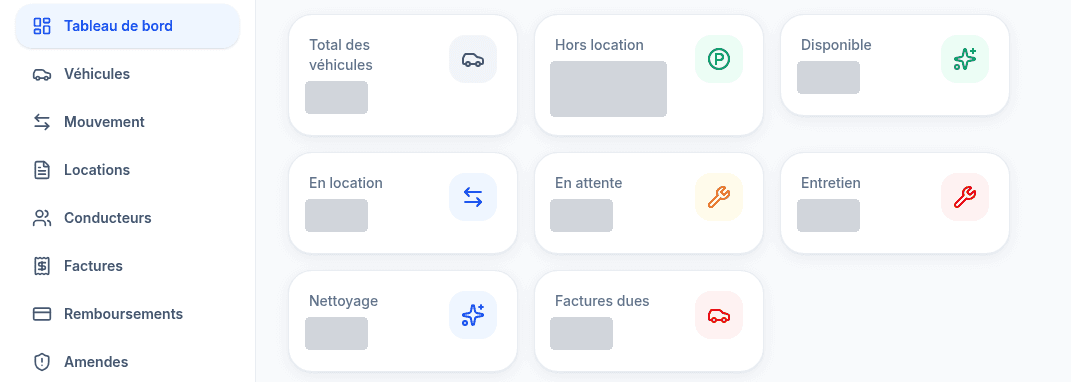
We built FleetFlow end to end: a French-language operations admin for vehicle rental fleets. This case study looks at one slice — how a car gets from "returned" back to "available". Every change of state is recorded on one Movement screen, from departure and return through the garage or after-sales (SAV) workshop and cleaning, and the dashboard shows how many cars sit in each state, with return requests and the SAV queue alongside, so the counter is not guessing which cars can go out next.
Solution
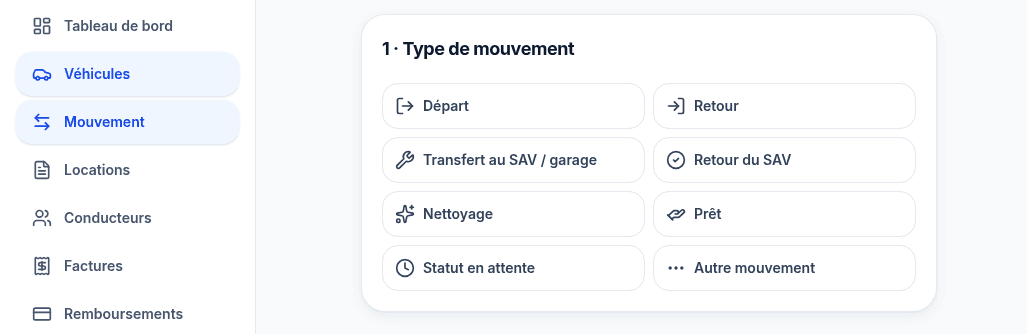
One Movement screen for every change of state. Under Vehicles › Movement, staff start by choosing the type of movement: Departure, Return, Transfer to SAV / garage, Return from SAV, Cleaning, Loan, Waiting status or Other movement. Each choice is a guided step rather than a free-text note. The workshop round trip is explicit. Sending a car to the garage or after-sales workshop and bringing it back are two separate movements, so a car that has gone to SAV stays visibly out of the available pool until its return from SAV is recorded. Cleaning is a state of its own. Cleaning is recorded as its own movement and counted on its own dashboard tile, so cars waiting for or going through a clean are not mixed in with cars ready to rent. A dashboard that shows where every car is. The FleetFlow dashboard opens on fleet-state tiles: total vehicles, off-rent, available, rented, waiting, maintenance and cleaning, next to invoices due. Return requests and the availability / SAV queue sit on the same dashboard, so the person booking the next rental and the person running the workshop look at the same picture. A team role for the workshop side. FleetFlow's team settings include a Personnel SAV role alongside Personnel, Personnel+ and Administrator, so an organisation can give its after-sales staff their own access instead of sharing an all-purpose login. Part of the same rental admin. Movement sits beside vehicles, rental contracts, drivers, inspections, weekly invoicing and the fines workflow in one FleetFlow admin, rather than in a separate tool.
Results
The fleet team records every departure, return, workshop visit, clean and loan in one place, and can see from the dashboard how many cars are available, rented, waiting, in maintenance or in cleaning, with return requests and the SAV queue alongside, instead of reconciling a whiteboard with a chat thread. What the feature covers: - Guided Movement screen - Departure and Return movements - Transfer to SAV / garage and Return from SAV - Cleaning movement - Loan movement - Waiting status - Other movement - Dashboard fleet-state tiles (total, off-rent, available, rented, waiting, maintenance, cleaning) - Return requests panel - Availability / SAV queue - Personnel SAV team role - French-language interface Next step Running a rental fleet where "ready to rent" still lives on a whiteboard? See FleetFlow at https://techmania.solutions/portfolio/fleetflow or talk to us at https://techmania.solutions
Related project
FleetFlow — rental fleet operations Admin
Rental fleet Admin we built end to end: vehicles, drivers, rental contracts, inspections, weekly invoicing and the ANTAI/FPS fines workflow in one workspace.
View project in portfolio