
Gallery
The challenge
Many tracker companies ship a live map and leave the rest to WhatsApp. When a vehicle moves with the ignition off, sits idle too long, crosses a geofence or speeds, the customer only finds out if someone is watching the map. Trips and alerts that live in a separate portal — or nowhere — turn support into screenshot archaeology. For a B2B2C tracking brand, the app in the customer's hand has to carry live location, trip history and the alerts that explain what happened.
Architecture
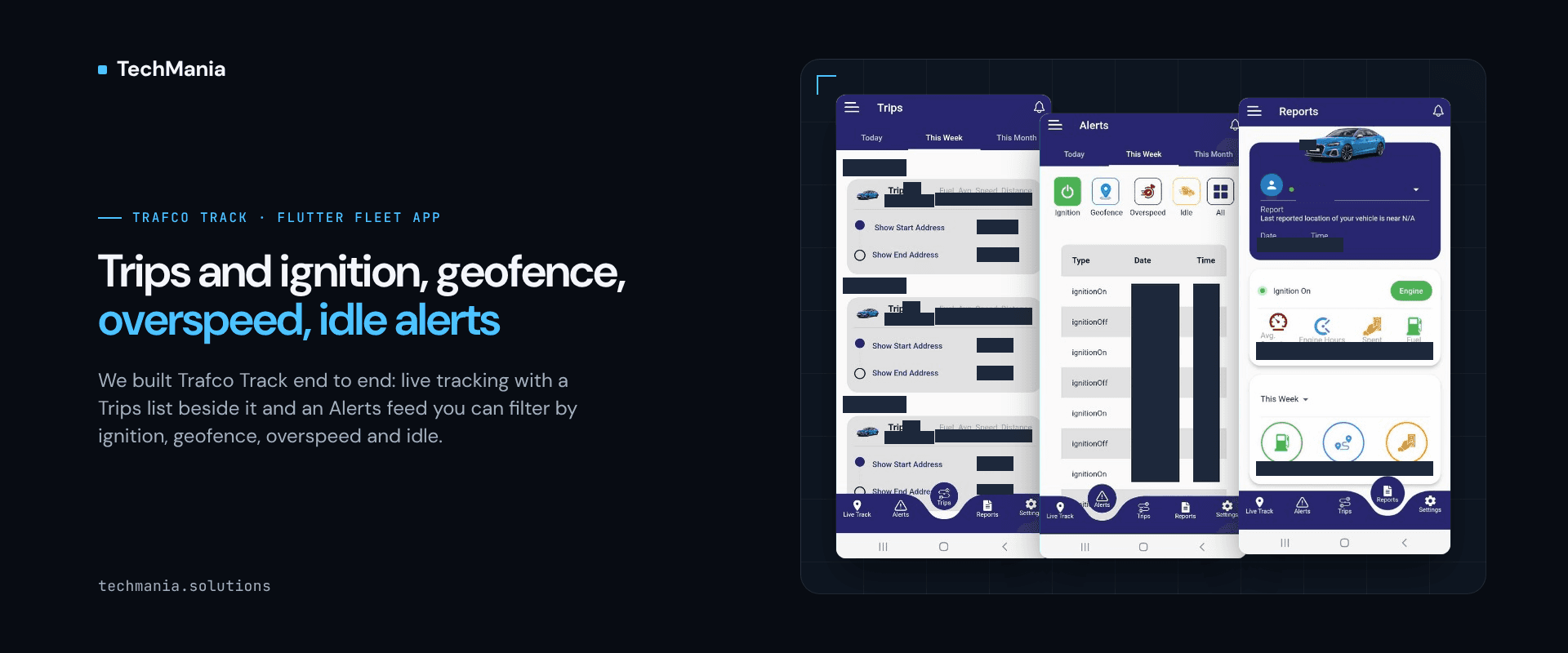
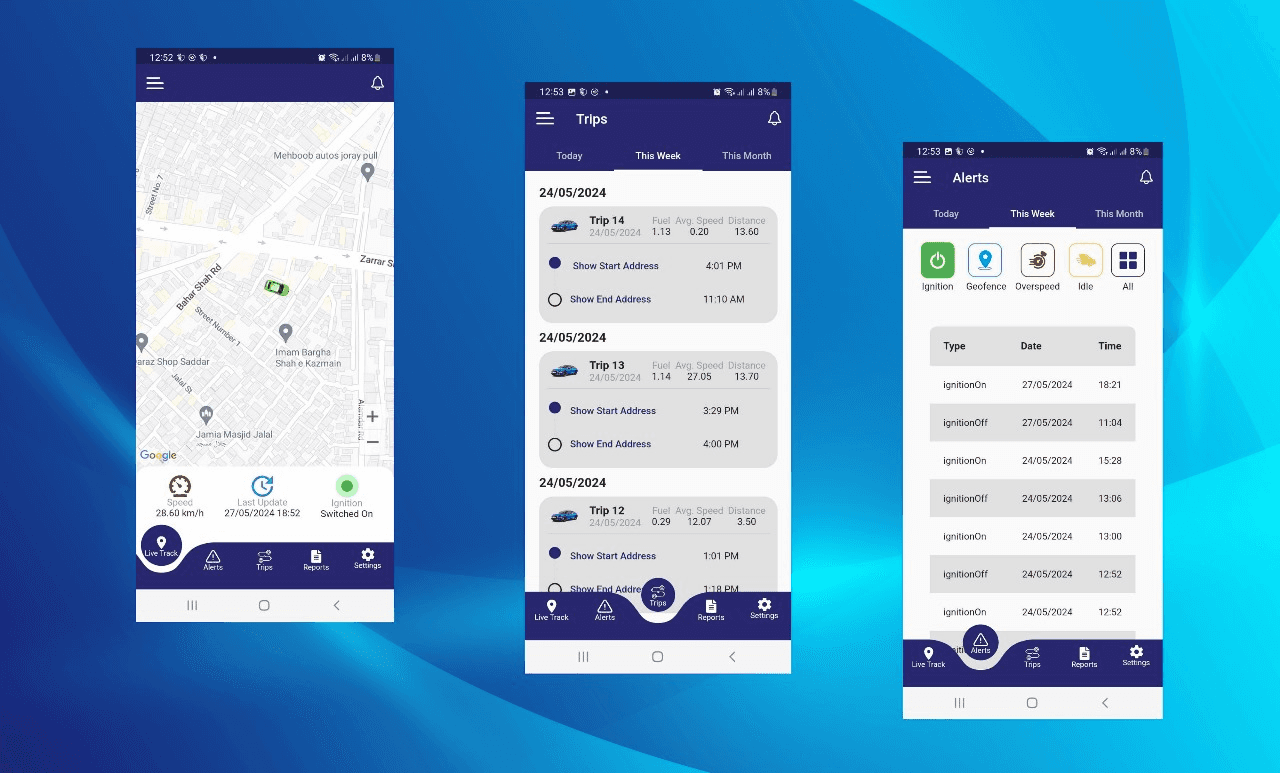
Fleet customers expect more from a tracker app than a moving pin. In Trafco Track, which we built end to end for TRAFCO TRACKING (PRIVATE) LIMITED in Flutter, Laravel and Traccar, Live Track sits beside a Trips list and an Alerts feed for ignition, geofence, overspeed and idle — so movement history and exception signals live in the same mobile product as the map.
Solution
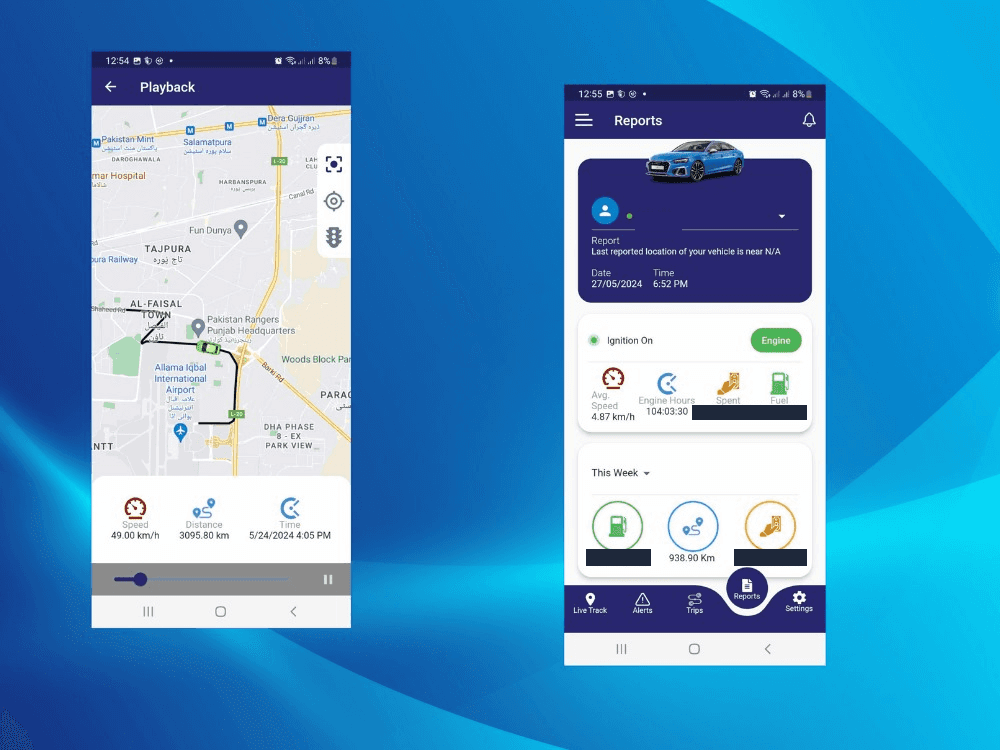
Live Track by vehicle. The Flutter app shows the vehicle on the map with speed, last-update time and ignition state, so the customer can see whether the unit is moving and whether the engine is on. Trips list next to the map. A Trips tab lists journeys for today, this week or this month, with start and end times and distance, so history is not buried in a desktop-only report. Alerts for ignition, geofence, overspeed and idle. An Alerts feed filters by type — ignition, geofence, overspeed, idle, or all — with date and time on each event, so exceptions are a product surface rather than a side channel. Playback for the route. A Playback view replays the path on the map with speed, distance and time controls, so a disputed trip can be reviewed without leaving the app. Part of an end-to-end build. We built Trafco Track end to end for TRAFCO TRACKING (PRIVATE) LIMITED: Flutter mobile for Android and iOS, Laravel, and Traccar as the tracking engine. The app also includes movement and history reports.
Results
Customers get live location, trip history and ignition / geofence / overspeed / idle alerts in one Flutter app instead of chasing the map and a separate alert channel. What the feature covers: - Live Track - Ignition state on live view - Trips list (today / week / month) - Alerts feed - Ignition / geofence / overspeed / idle filters - Route playback - Flutter Android + iOS - Laravel - Traccar Next step Building a branded fleet tracker app and still separating the map from trips and alerts? Talk to us at https://techmania.solutions
Related project
Trafco Track
We built Trafco Track end to end for TRAFCO TRACKING (PRIVATE) LIMITED: a Flutter mobile app for Android and iOS, Laravel, and a Traccar backend, with live tracking by VRN, playback, trips, ignition/geofence/overspeed/idle alerts, and fuel, engine-hours and spend reports.
View project in portfolio