
Gallery
The challenge
The live map answers "where is the vehicle now?" Most of the questions a fleet team actually gets are about the past. When did the van leave this morning? How long was it on the road? Where did it stop, and for how long? Was the engine on while it sat there? Without a proper trip view, answering those means scrolling a raw position log or replaying a whole day and guessing where one journey ended and the next began. That is slow for a dispatcher at a desk and close to impossible for a manager checking from a phone. And when the question covers two or three vehicles at once, it usually turns into a spreadsheet. ProGPS needed trip history that reads like a list of journeys, not a list of coordinates, on both the web app and the mobile app.
Architecture
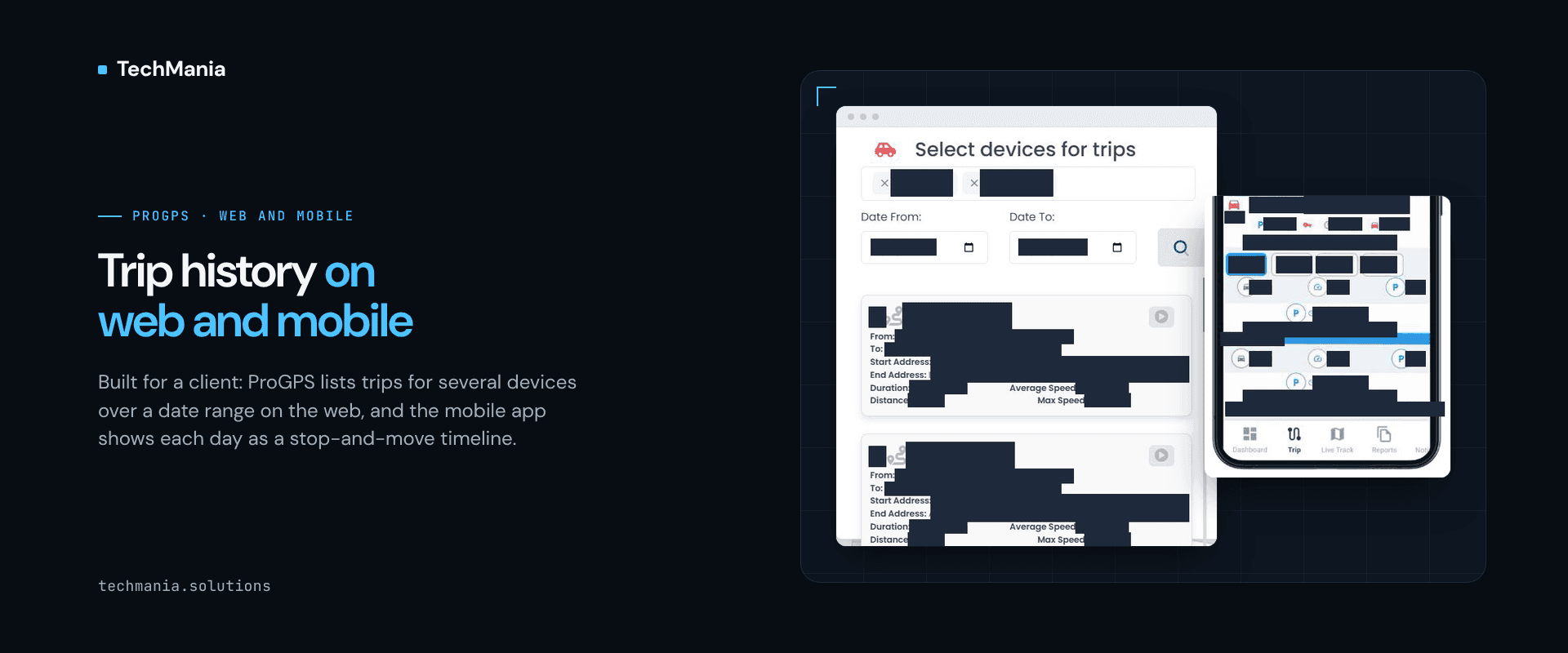
We built ProGPS for a client: a Laravel web app and a Flutter app for Android and iOS on Traccar's standard tracking APIs. This case study looks at one slice — trip history. On the web, a fleet team picks several vehicles and a date range and gets trip cards with times, duration, speeds, distance and a replay button. On mobile, the Trip screen breaks a vehicle's day into stops and moves, so the same question can be answered at a desk or on the road.
Solution
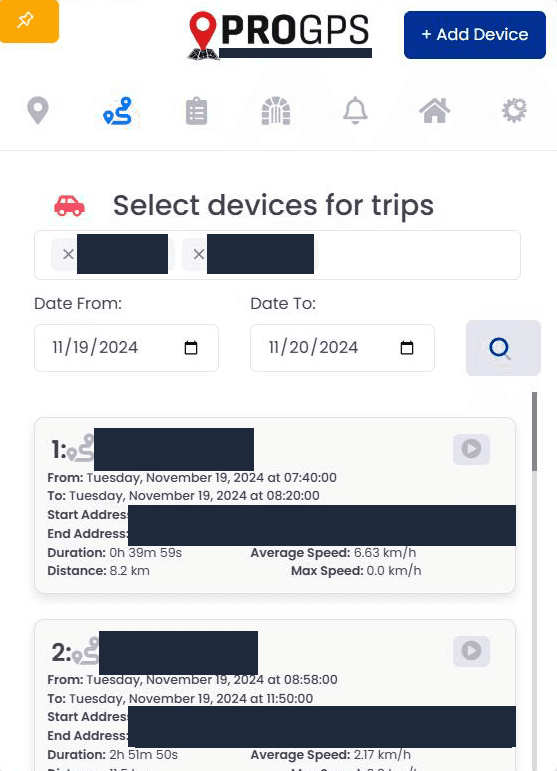
Trips for several vehicles at once. In the ProGPS web app, a "Select devices for trips" panel lets the operator add more than one vehicle and set a date range, then returns the trips for all of them in one list beside the map. A trip card per journey. Each trip card shows when it started and ended, its duration, average and maximum speed and distance, with start and end address fields, so a journey can be checked at a glance without opening a report. Replay from the trip. Every trip card carries a replay button, so the operator can go from "this trip looks odd" straight to that journey instead of searching the day's history. A day-by-day Trip screen on mobile. In the Flutter app for Android and iOS, the Trip screen has a day picker and breaks the selected day into a timeline of stops and moves, with chips for parking, ignition and time, so a manager can follow a vehicle's day from a phone. Info and history in one place. The mobile Trip screen sits beside Dashboard, Live Track and Reports in the app's bottom navigation, with Info and Historic tabs, so live status and past trips are one tap apart. One product, standard tracking APIs. Trips on web and mobile read from Traccar's standard tracking APIs, alongside the live map, geofences, notifications and reports in the same ProGPS product. We did not change the Traccar server, its APIs, its database or any device protocols; the work went into the ProGPS web and mobile apps on top.
Results
The client's fleet team can review trips for several vehicles over any date range on the web, jump to a replay from a single trip, and follow a vehicle's stops and moves day by day in the mobile app, instead of reading raw position logs. What the feature covers: - Multi-device trip selection - Date range filter - Trip cards with start and end time, duration, average and maximum speed and distance - Start and end address fields - Replay button per trip - Mobile Trip screen with Info and Historic tabs - Day picker - Stop and move timeline - Parking, ignition and time chips - Laravel web app - Flutter Android + iOS app - Traccar standard tracking APIs (unmodified) Next step Building a fleet tracking product and need trip history your team can actually read, on web and mobile? See ProGPS at https://techmania.solutions/portfolio/progps or talk to us at https://techmania.solutions
Related project
ProGPS
ProGPS: Laravel web and Flutter iOS/Android apps we built for a client on Traccar's standard APIs: live tracking, geofences, trips, fuel reports.
View project in portfolio