
Gallery
The challenge
On a home-services marketplace, every job request that reaches a professional is either an opportunity or noise. An electrician who is busy, who does not do the job that was asked for, or who is on the other side of the city gets nothing from it, and the customer waits for someone else to answer. The marketplace also has to decide how professionals pay for the work it brings them. A flat monthly fee charges a professional the same whether the platform sends them one customer or many, and a cut of every job only works if the platform sees and settles every price. JobBox needed an operator app that controls both: which requests a professional receives, and what each customer contact costs them.
Architecture
We built the JobBox operator app in Flutter, alongside the JobBox customer app and the Laravel admin we also built. This case study looks at one part of the operator app: how requests are matched to a professional, and how that contact is paid for.
Solution
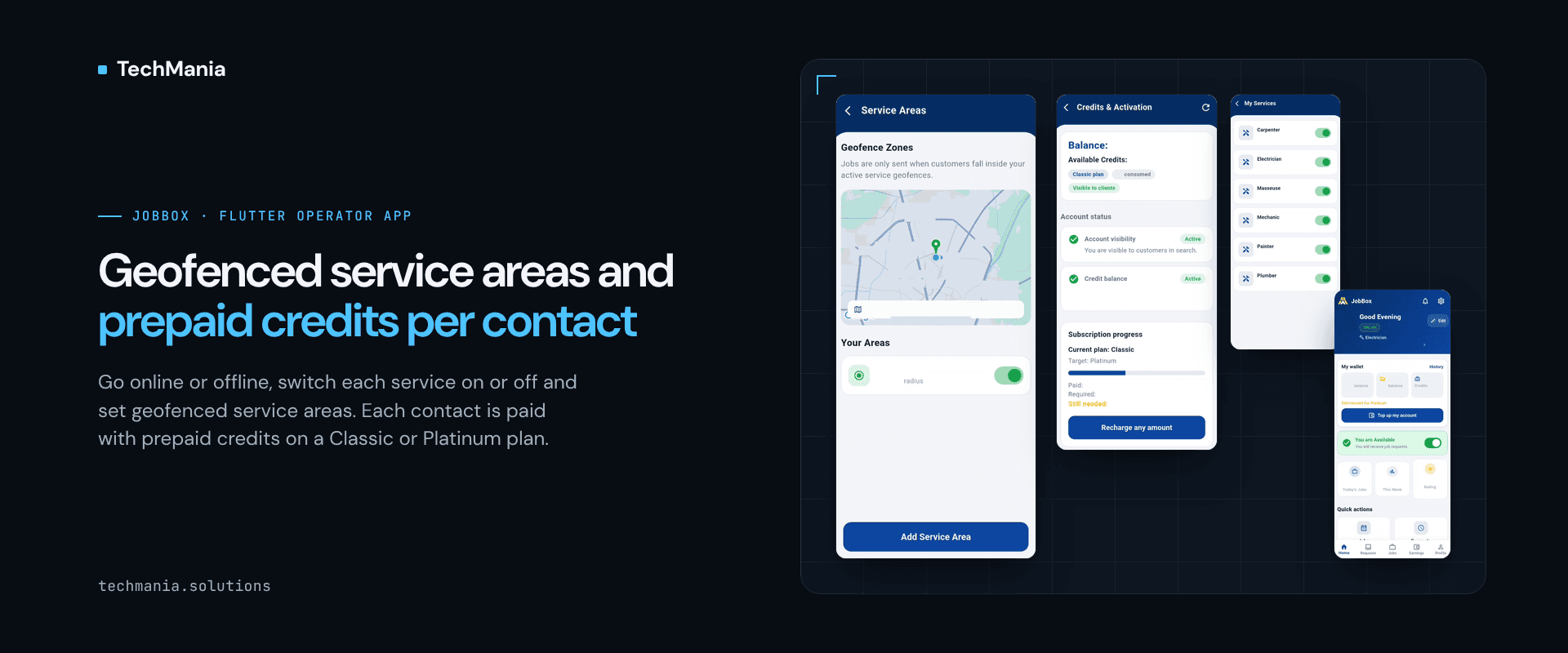
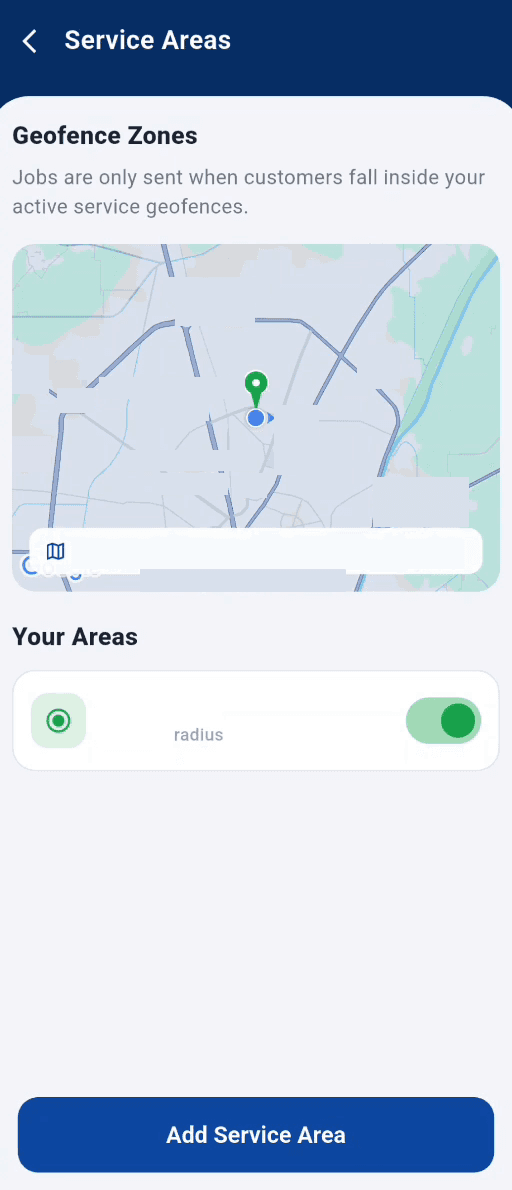
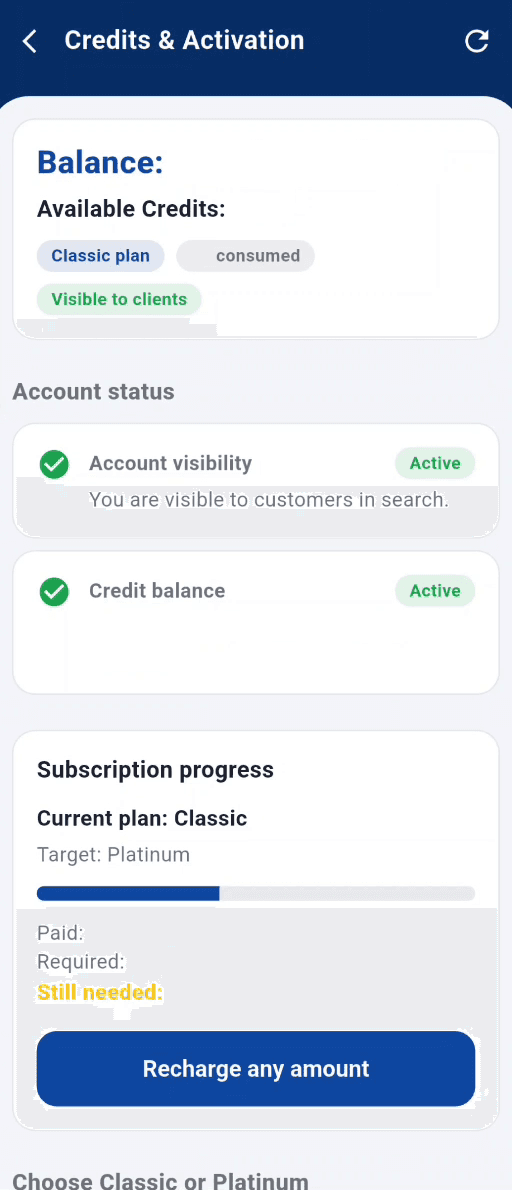
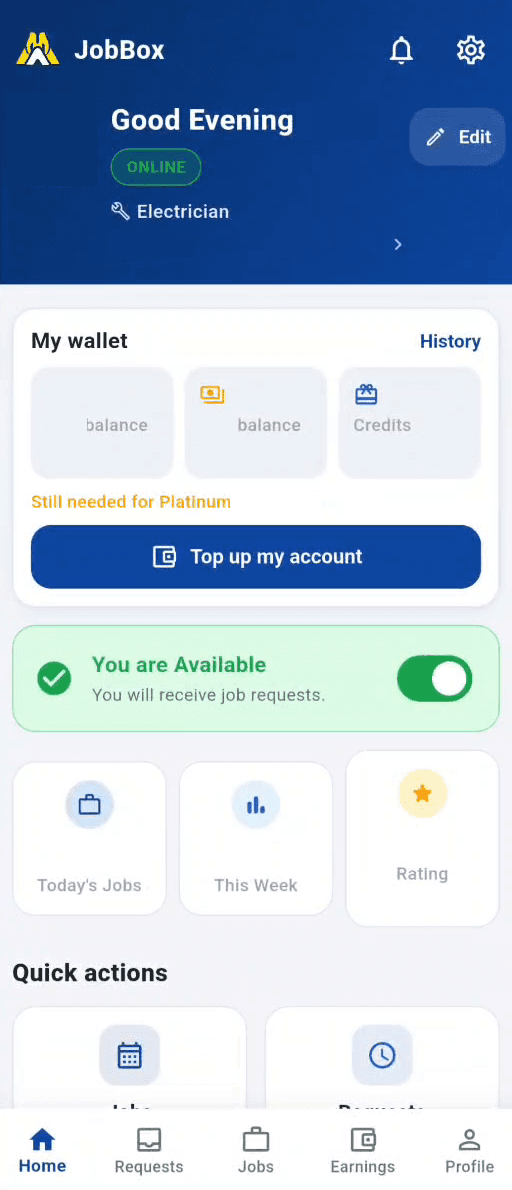
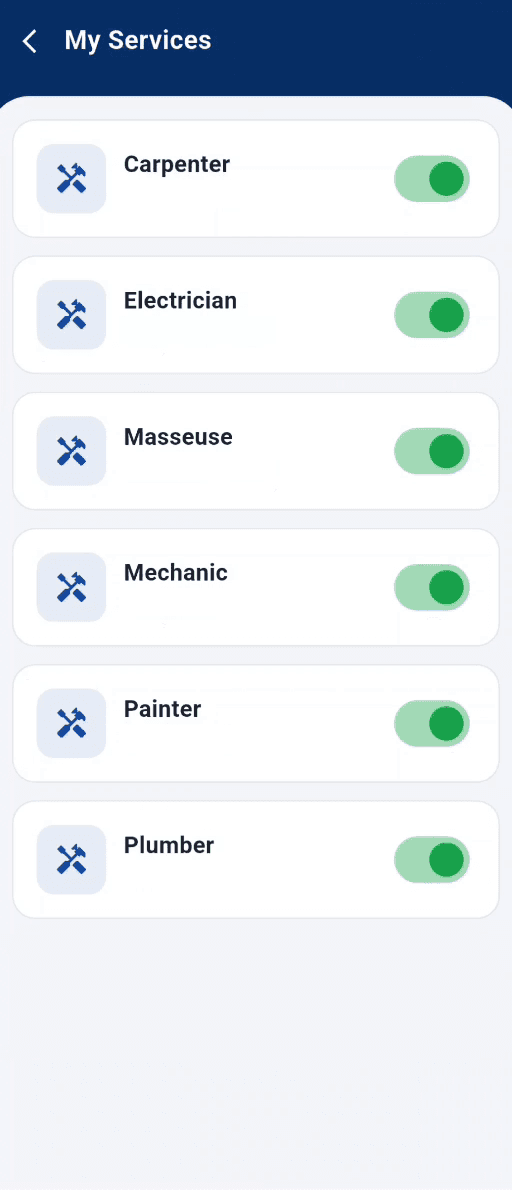
Online or offline. The home screen has an availability switch. "You are Available" means the professional receives job requests; switching it off means they do not, until they go online again. Only the services they offer. Under My Services, the professional switches each service they offer on or off (carpenter, electrician, mechanic, painter, plumber and so on), so requests for work they do not do are not sent to them. Only the areas they cover. Under Service Areas, the professional adds one or more geofenced service areas, each with a radius and its own on/off switch, shown on a map. As the screen tells them, jobs are only sent when customers fall inside their active service geofences. A professional can add more than one area and switch each on or off as their work changes. Prepaid credits per contact. Instead of a commission, professionals use prepaid credits. They top up from the app, and credits are charged per customer contact. The Credits & Activation screen shows the current plan (Classic or Platinum), whether the account is visible to customers in search, whether the credit balance is active, and how far the professional is from the next plan, with a "Recharge any amount" option. Around it. Job requests, missed requests, cancellations, reviews and new messages arrive as in-app notifications. While a job is under way, the operator app shares the professional's live location, which is what the customer follows through Track Live in the customer app. Professionals sign in with their phone number or SMS OTP, and the app switches between English and French.
Results
What this part of the operator app gives JobBox professionals and the marketplace: - Professionals receive requests only when they are online, for services they offer, inside areas they chose - Each service and each service area can be switched on or off without contacting support - Customer contacts are paid for with prepaid credits, so cost follows the contacts a professional actually receives - Plan, visibility and credit status are visible in one screen instead of being explained over the phone - The same app carries notifications and the live location behind the customer's Track Live Next step Building a services marketplace and need the professional side to receive the right jobs and pay for leads fairly? See the JobBox operator app (https://techmania.solutions/portfolio/jobbox-operator-app) or talk to us at https://techmania.solutions
Related project
JobBox Operator App
We built the JobBox operator app in Flutter: go available for job requests, set geofenced service areas and trades, use prepaid credits and track earnings.
View project in portfolio