

ost fleets do not fail for lack of a risk chart.
They fail when the score lives on a slide — or in a separate “safety” product — while speeding, geofence breaches, ignition, and offline events live somewhere else: another portal, another inbox, or a chat thread nobody owns.
That gap is the industry problem: fleets and telematics product owners collect raw GPS, harsh-event, and trip data, but Risk & Safety scores, live exceptions, and ops coaching do not share one workspace. Safety evidence and weekday response stay fragmented.
Why the score and the alarm split apart
Vendors often ship a score widget or a device map or an alert inbox as separate surfaces. Insurance and ops teams buy “risk” as a chart while geofence and speed events stay in another tool. Integration debt becomes process debt.
The market also confuses four different buy paths — end-fleet SaaS suites, white-label TSP platforms, OSS kernels, and protocol hubs. Mis-framing the RFP is how teams end up with stock harsh-driving scores that never touch the weekday exception loop. Harsh-driving scores are table stakes. An explainable Risk & Safety surface wired to alerts, geofences, and coaching is a different job.
What breaks first in operations
When the score and the alarm trail are two products:
- Monday coaching fails — supervisors argue about a number without the event that produced it.
- Exception noise piles up without thresholds, filters, or a mark-read cadence.
- Insurers, brokers, or shippers ask for evidence; ops rebuilds the story from three exports.
- Tool-hopping burns the same hours every week that a control tower was supposed to save.
None of that requires inventing ROI percentages. The operational consequence is visible in the workflow itself: if the score is not next to the alarm, the score does not change behavior.
What “wired” actually means on the product surface
A driving score only earns its keep when it is a first-class surface beside the exception loop — same identity model, same tenant, same operator workspace.
In GeoLox, a fleet-tracking portal TechMania built and customized for a client, that looks like:
- Risk & Safety — global and category scores (acceleration, braking, speed, fatigue, and related categories), over week / month / custom windows, with trend and export; Suspicious Events as a companion when a score needs a closer look.
- Alerts — unread / alarm / geofence / speed / online-offline counters; time and type filters; mark-read controls so the inbox has a cadence.
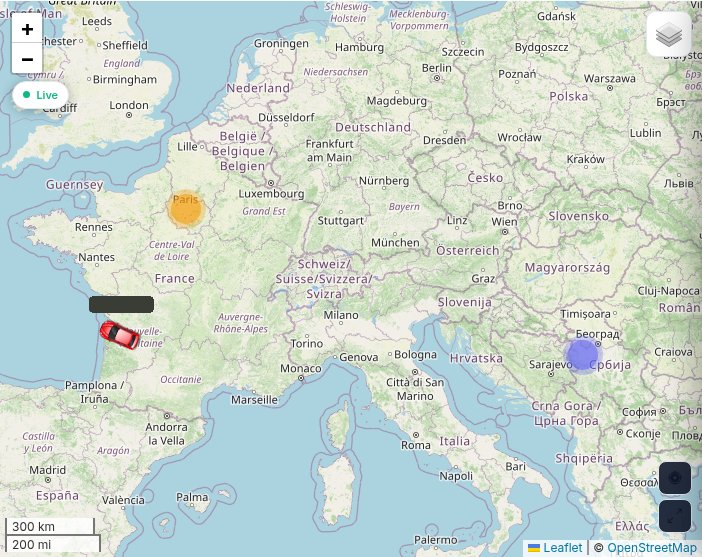
- Geofences — map zones whose enter/exit events feed the same alert stream and reports, not a separate GIS toy.
- Soft siblings in the same portal (not the lead story here): a live map with clusters and track/replay, and Reports Center trip / mileage exports when you need proof behind an event.
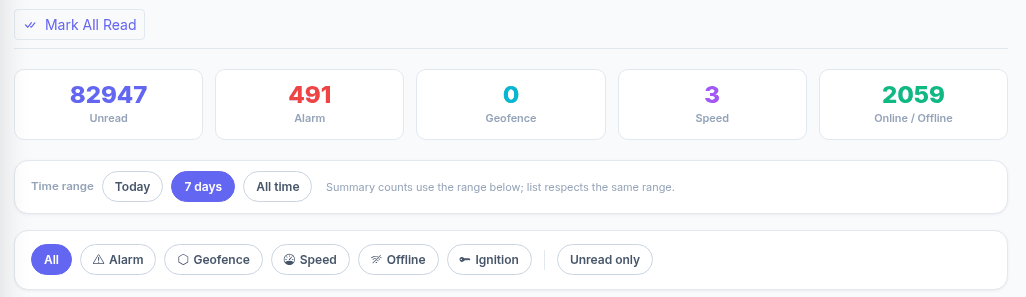
Operators open one Admin: score → alert → geofence evidence → coach. That is a coaching loop, not dashboard theater.
For buyers who want depth: the same portal also covers Dashboard, Live Map, Devices, Reports Center, Geofences, Alerts, Risk & Safety, Incidents, Maintenance, Sub-Users, and Settings / Subscription — with an EN / FR / RU interface and a light/dark theme.
Build vs buy — without the pitch theater
Enterprise connected-ops suites (Samsara / Geotab / Motive / Verizon-class) and white-label TSP platforms win when your workflows are standard and you want speed to seat. Self-hosting a map kernel plus spreadsheets wins until the first insurer asks for an explainable score trail.
Custom Risk & Safety + exceptions engineering starts to matter when:
- You need owned UX for insurer-style risk categories, not a stock harsh-driving badge.
- Mileage / trip exports must sit beside live map and alerts under one identity model.
- Mixed-device or Teltonika-heavy fleets stall on proprietary gateway lock-in.
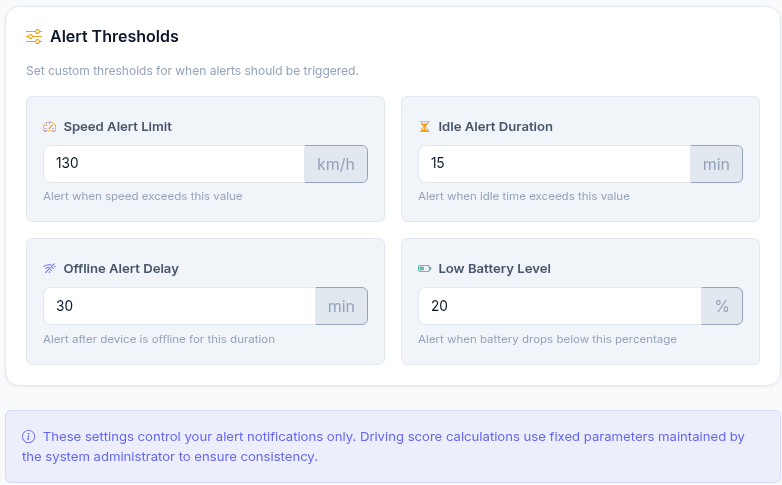
- Delegated sub-users and alert thresholds are part of how supervisors actually work.
TechMania builds and customizes fleet portals in this shape. GeoLox is exactly that control tower: Risk & Safety category scores next to alerts and geofences, with live map and mileage reporting as siblings in the same workspace.
“GeoLox risk scoring and mileage exports exceeded expectations. True telematics engineering, not just coding.”— Sarah L.
Practical next step for ops and technology buyers
Audit one Monday morning. Pick a single scored vehicle. Can your supervisor open the category score, the related overspeed or geofence alert, and the map evidence without leaving the product? If the answer is three tabs and a CSV, the gap is product design — not “more dashboards.”
If your safety stack still means a score card in one place and exceptions in three others, talk to us about a unified fleet portal.